Free Invoice Generator
Fill in one form and watch the invoice take shape beside it. 66 types — plain invoices, quotes, receipts, GST, VAT and sales-tax formats, invoices for your trade — in 12 looks. Download it as a PDF, an editable Word file or an Excel sheet with live formulas. No signup, no watermark, nothing stored.
- Never stored
- No queue, no waiting
- No signup, no watermark
Choose an invoice type
66 invoice types in 12 looks: plain invoices, quotes and receipts, invoices for your trade, and the tax formats of your country. Switch at any time without retyping.
Most used
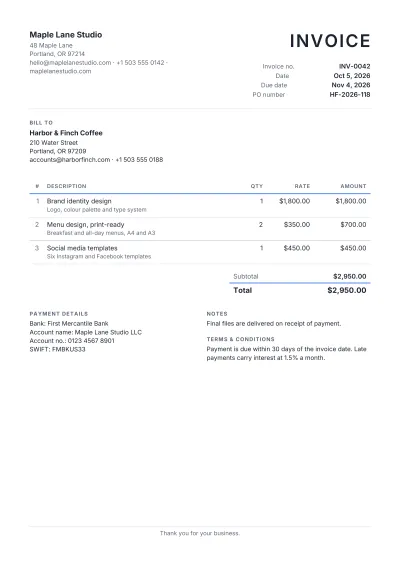 Simple InvoiceThe standard invoice: who, what, how much and when it is due. Right for most small businesses and freelancers.USD
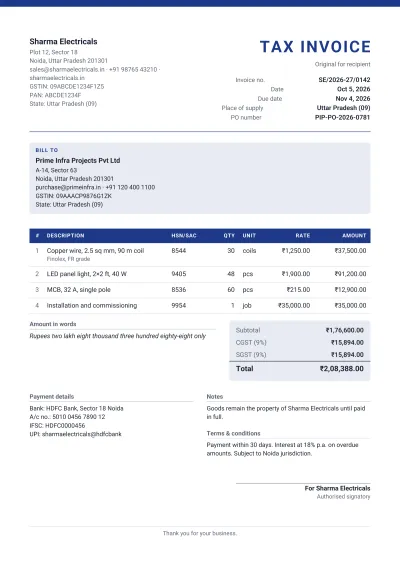 GST Invoice (India)The Indian tax invoice: GSTIN of both parties, place of supply, HSN/SAC codes, and CGST and SGST (or IGST) on their own lines.CGST 9% + SGST 9%INR
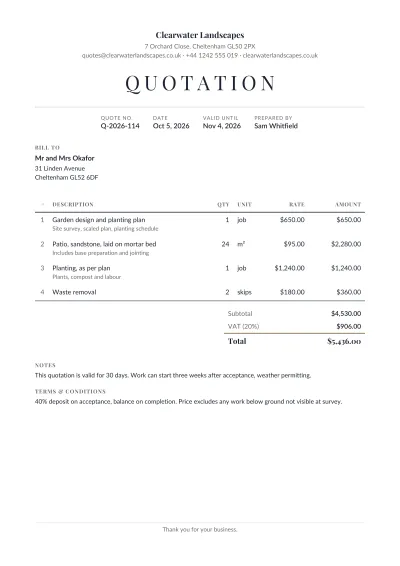 QuotationA priced offer the customer can accept: items, totals, a validity date and the terms, in the same clean layout as the invoice.USD
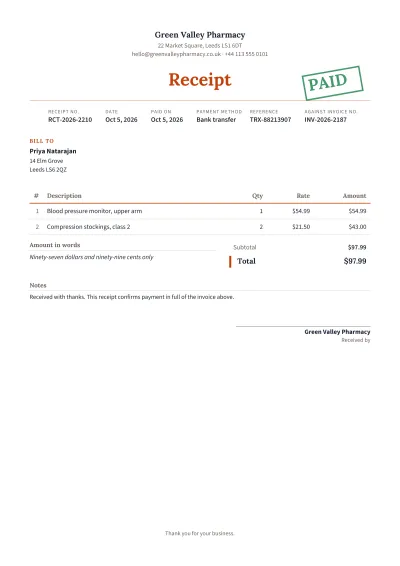 Payment ReceiptProof that money was received: what was paid, when, how, and against which invoice. Stamped PAID.USD
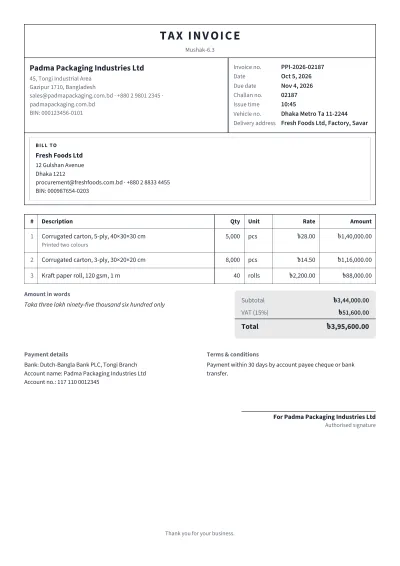 VAT Invoice — Mushak 6.3 (Bangladesh)The Bangladesh tax invoice (Mushak-6.3): BIN of both parties, challan number, issue time, vehicle, and 15% VAT per line.VAT 15%BDT
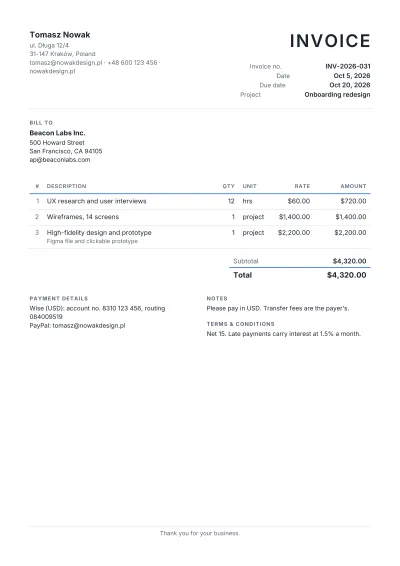 Freelancer InvoiceFor independent designers, writers, developers and consultants: project lines, clear terms and your payment details.USD
Invoice types
- Simple InvoiceThe standard invoice: who, what, how much and when it is due. Right for most small businesses and freelancers.USD
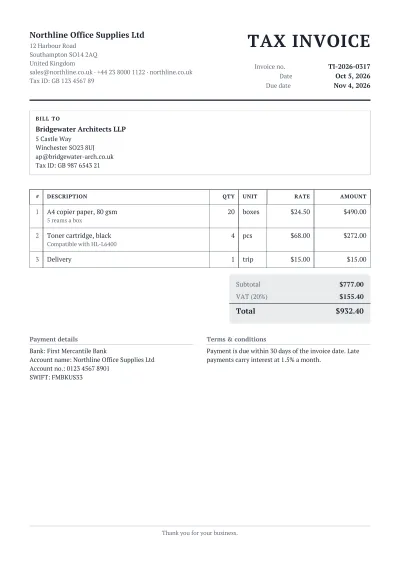 Tax InvoiceAn invoice that shows the tax on its own line, with both parties' tax numbers: what a registered business must issue.VAT 15%USD
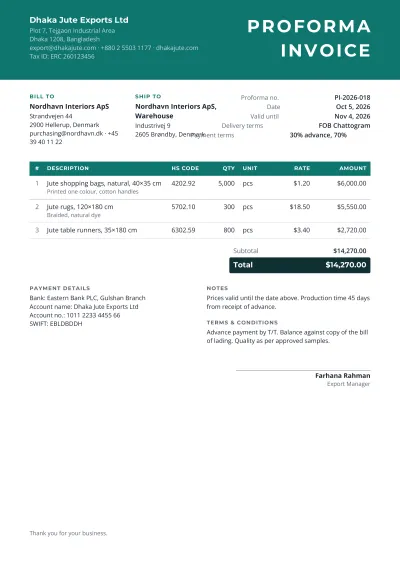 Proforma InvoiceA quote in the shape of an invoice, sent before the goods or work: for advance payment, import permits and letters of credit.USD
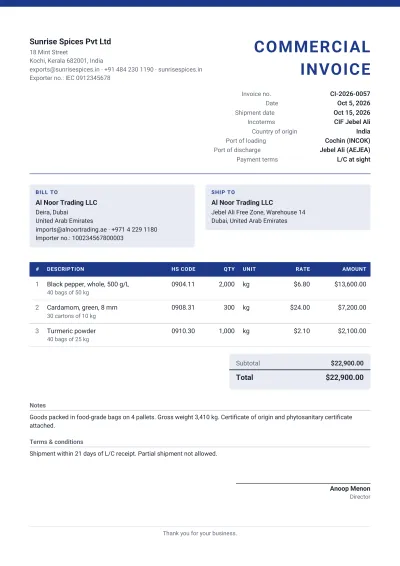 Commercial InvoiceThe export invoice customs officers read: HS codes, country of origin, Incoterms, ports and the consignee.USD
- QuotationA priced offer the customer can accept: items, totals, a validity date and the terms, in the same clean layout as the invoice.USD
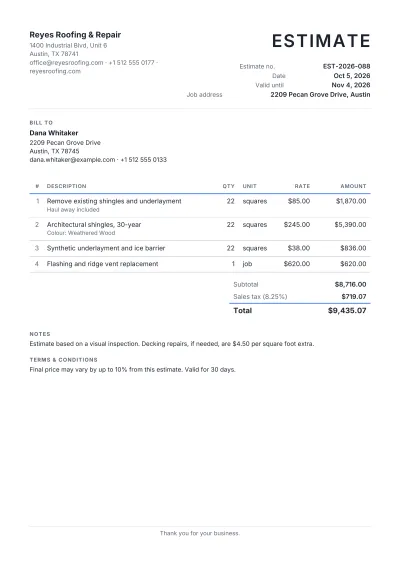 EstimateA best guess of the cost before the work is scoped exactly: for trades, repairs and projects where the final figure may differ.USD
- Payment ReceiptProof that money was received: what was paid, when, how, and against which invoice. Stamped PAID.USD
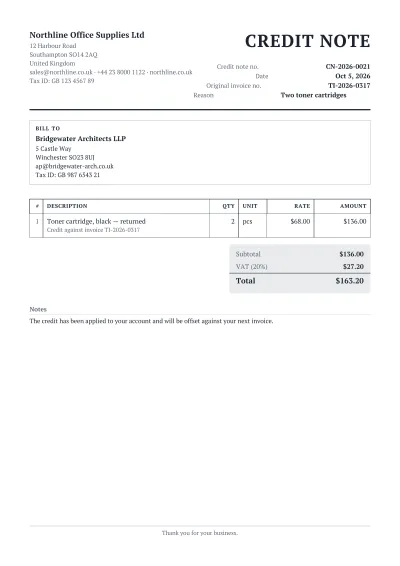 Credit NoteReduces or cancels an invoice already issued: returns, discounts after the fact, or an overcharge, with the original invoice named.VAT 15%USD
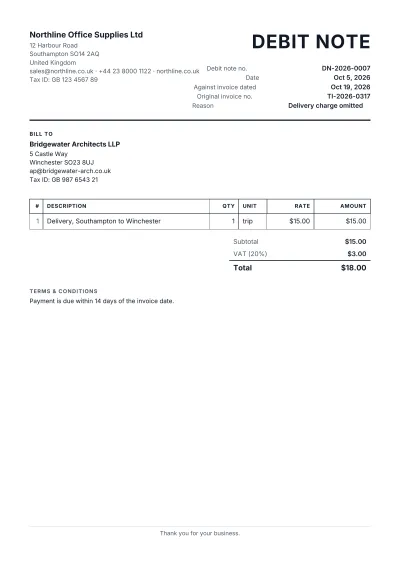 Debit NoteAdds to an invoice already issued: an undercharge, extra goods delivered, or a buyer's claim against a supplier.VAT 15%USD
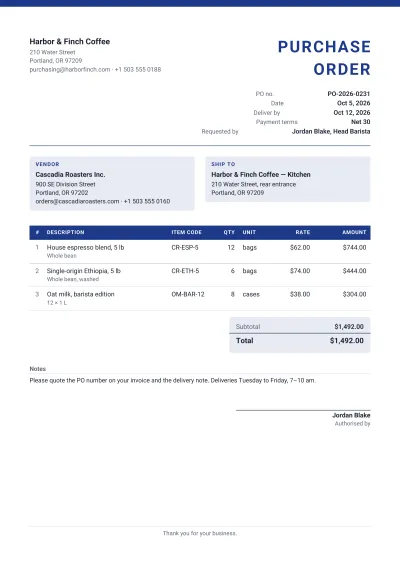 Purchase OrderWhat a buyer sends a supplier: the items wanted, agreed prices, where to deliver and by when.USD
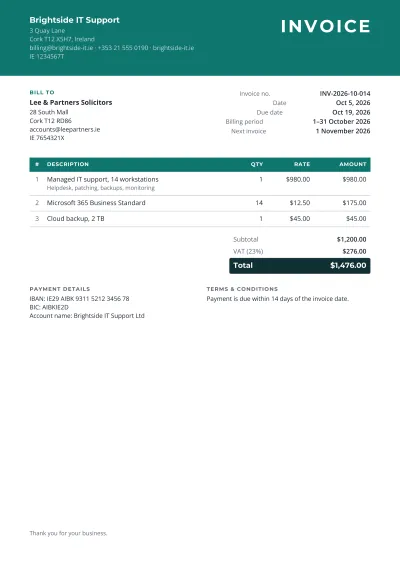 Recurring InvoiceFor a monthly or yearly service: the billing period on the invoice, so a client can see which month they are paying for.USD
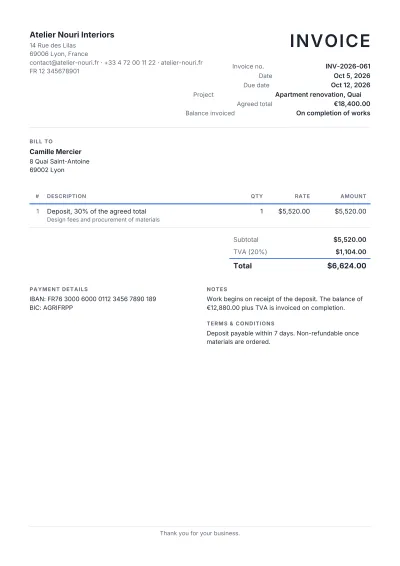 Deposit InvoiceBills an advance before work starts: a percentage or fixed part of the agreed price, with the balance noted.USD
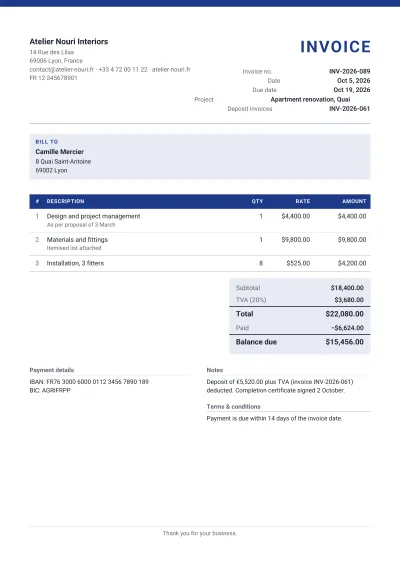 Final InvoiceCloses a project: the full price, the deposits already paid taken off, and the balance due.USD
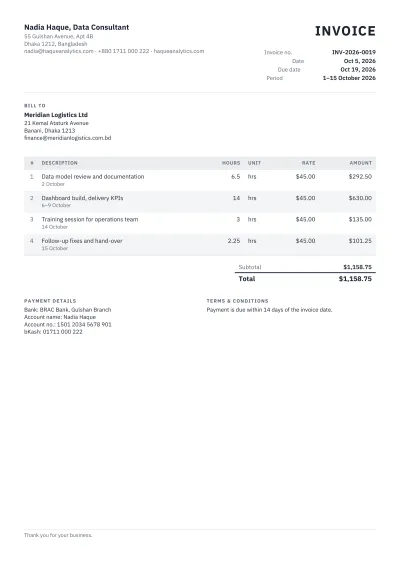 Hourly InvoiceFor work billed by the hour: each task with its hours and rate, like a timesheet with totals.USD
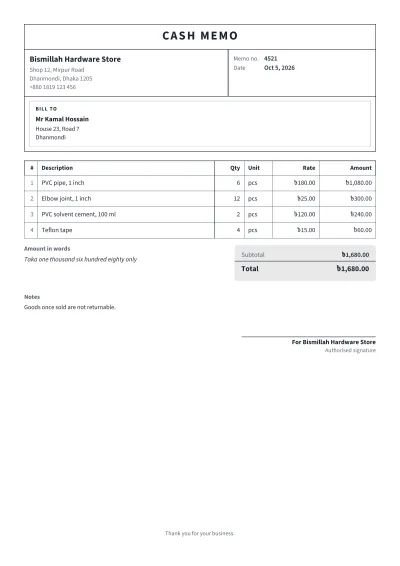 Cash MemoThe counter bill of shops in Bangladesh, India and Pakistan: goods sold and paid for on the spot, in a ruled ledger layout.INR
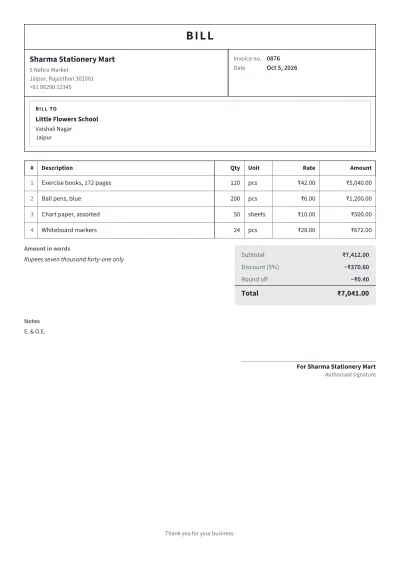 Bill FormatA plain bill in the familiar ruled format: serial number, description, quantity, rate and amount, with the total in words.INR
By business
- Freelancer InvoiceFor independent designers, writers, developers and consultants: project lines, clear terms and your payment details.USD
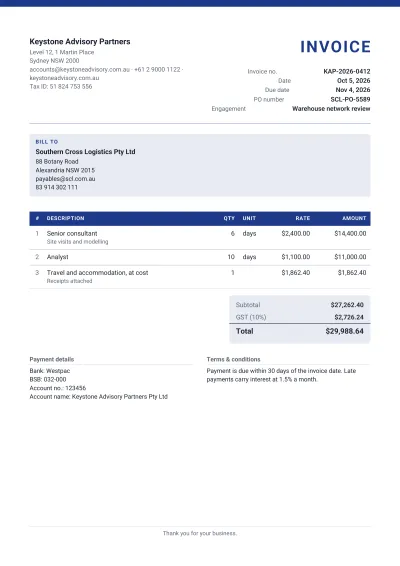 Consulting InvoiceFor consultants and advisers: fees by engagement or by day, expenses listed separately, and a reference the client's finance team expects.USD
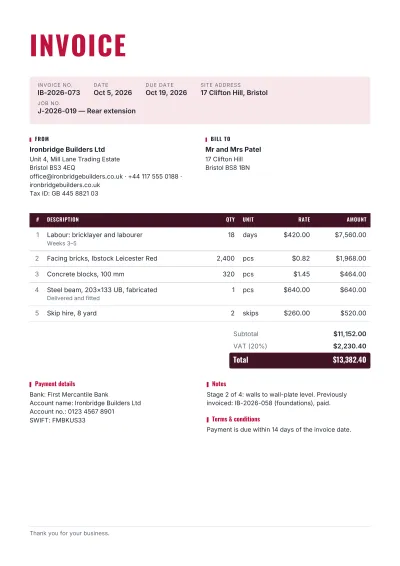 Contractor InvoiceFor builders and construction contractors: labour and materials by line, the site address, and progress or retention noted.USD
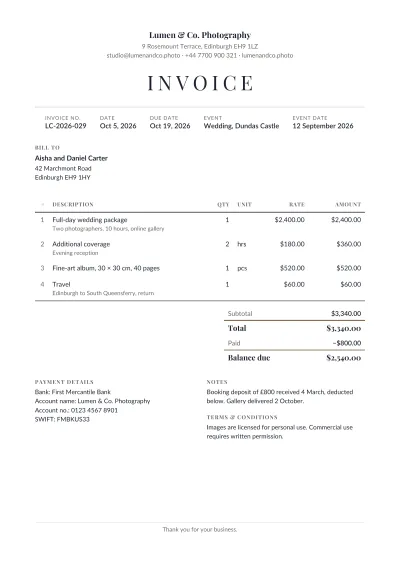 Photography InvoiceFor photographers and videographers: the shoot, the date, packages, extra hours and prints, with usage rights in the terms.USD
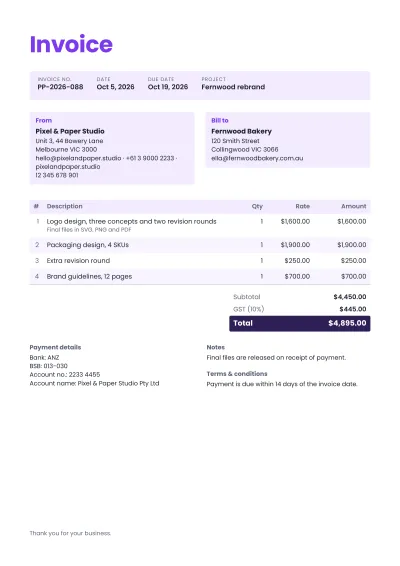 Graphic Design InvoiceFor designers and studios: logo, branding and layout work by deliverable, revisions counted, and file handover in the terms.USD
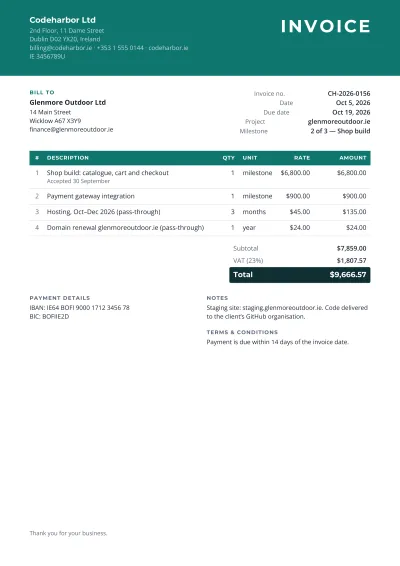 Web Development InvoiceFor developers and agencies: milestones, hosting and domain costs passed through, and support hours.USD
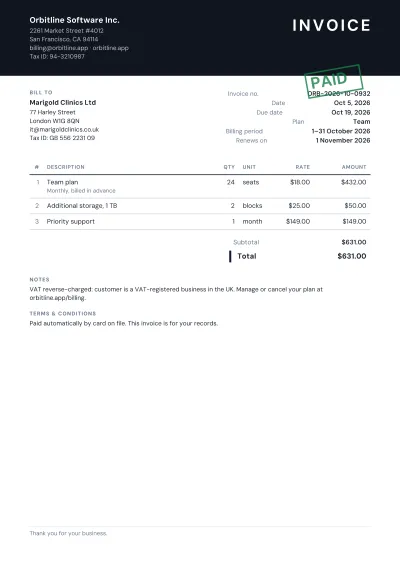 Software Subscription InvoiceFor SaaS and software licences: the plan, the number of seats, the billing period and the renewal date.USD
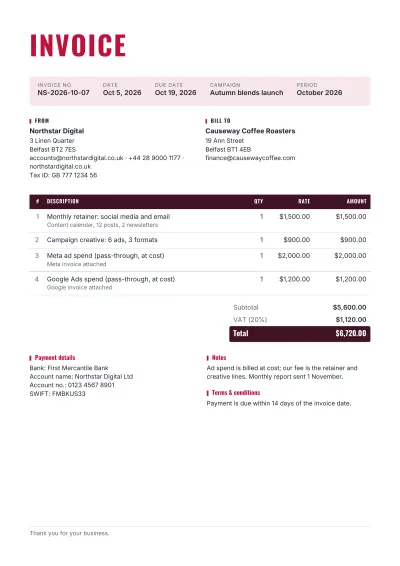 Marketing Agency InvoiceFor agencies: the monthly retainer, campaign work, and ad spend passed through at cost with the platform's own invoice attached.USD
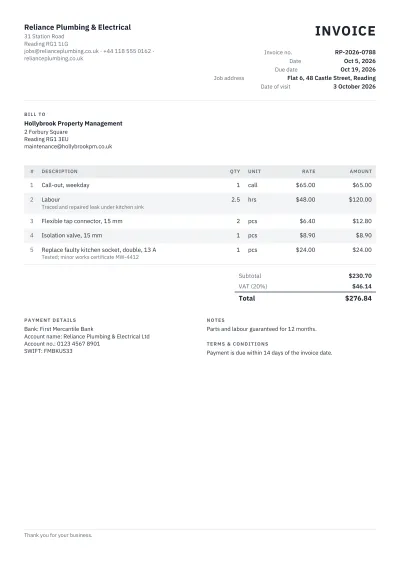 Plumber & Electrician InvoiceFor plumbers, electricians and other trades: the job address, call-out charge, labour hours and parts fitted.USD
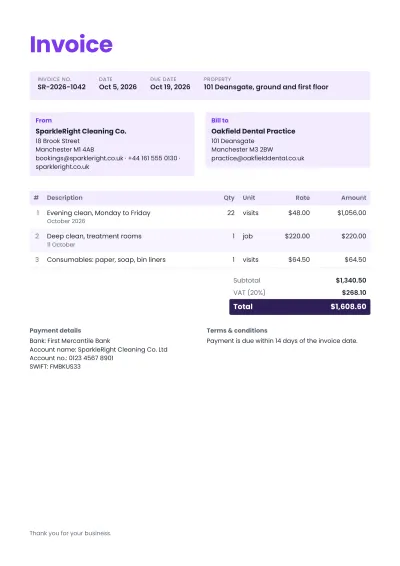 Cleaning Services InvoiceFor cleaning companies and housekeepers: regular visits by date, deep cleans, supplies, and the property cleaned.USD
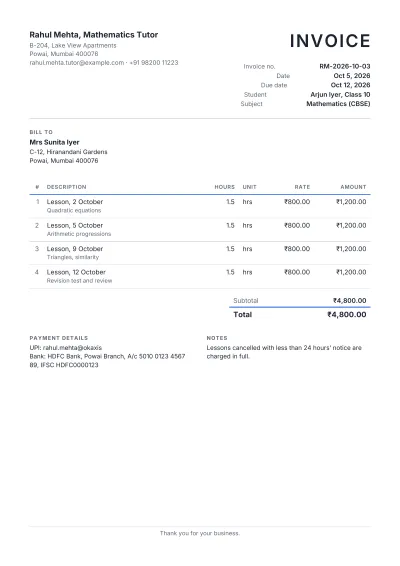 Tutoring InvoiceFor tutors, coaches and music teachers: lessons by date, the student's name and the rate per lesson or hour.USD
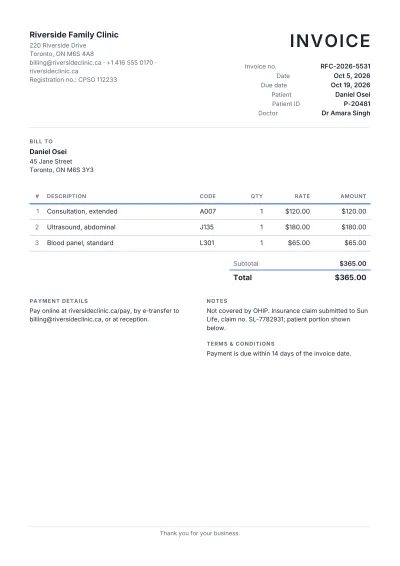 Medical InvoiceFor clinics, doctors and therapists: the patient, the consultation and procedures by code, and what insurance covers.USD
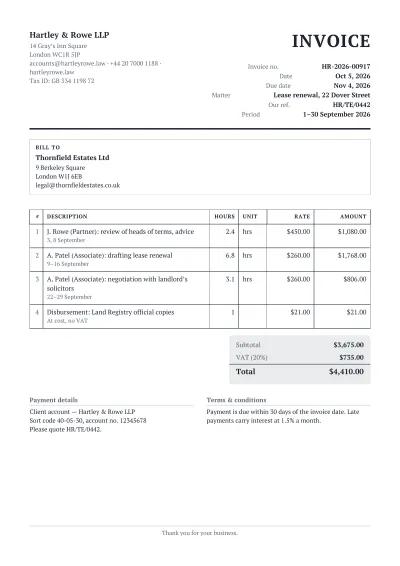 Legal Services InvoiceFor lawyers and law firms: the matter, time entries by date with the fee earner's rate, and disbursements apart.USD
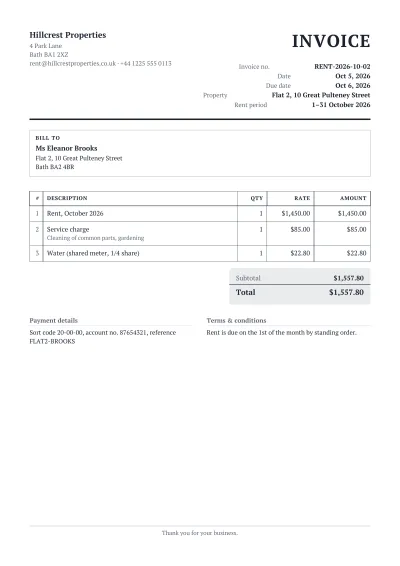 Rent InvoiceFor landlords and property managers: the property, the rent period, service charges and utilities, with a receipt option.USD
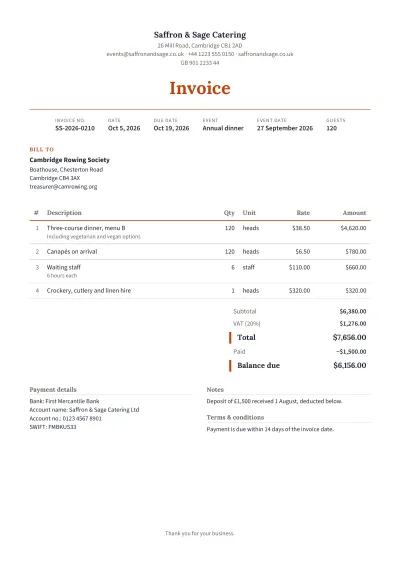 Catering InvoiceFor caterers and event food: the event date, guests, the menu as lines per head, staff and equipment hire.USD
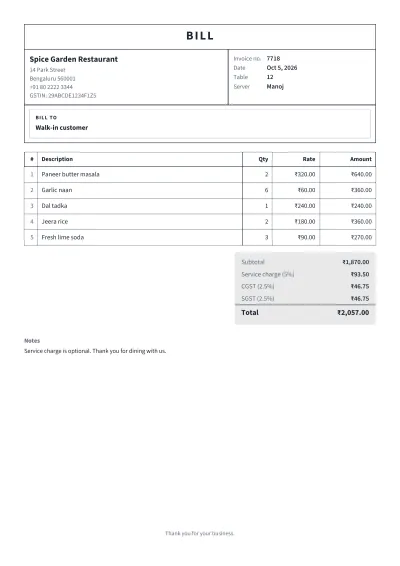 Restaurant BillA table bill or food order invoice: dishes with quantities, service charge and tax, in the ruled layout printed bill books use.Service charge 5% + GST 5%INR
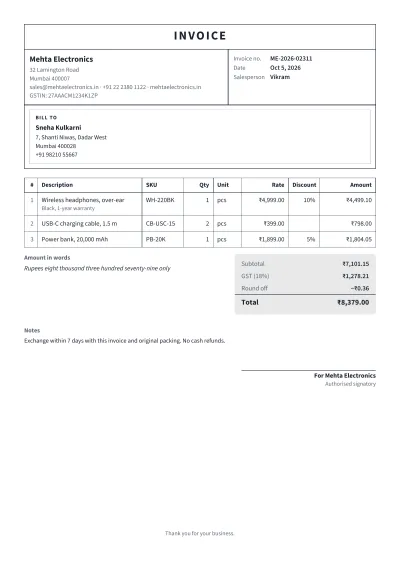 Retail Shop InvoiceFor shops and showrooms: products with codes, quantity and rate, a discount line, and the total rounded and in words.GST 12%INR
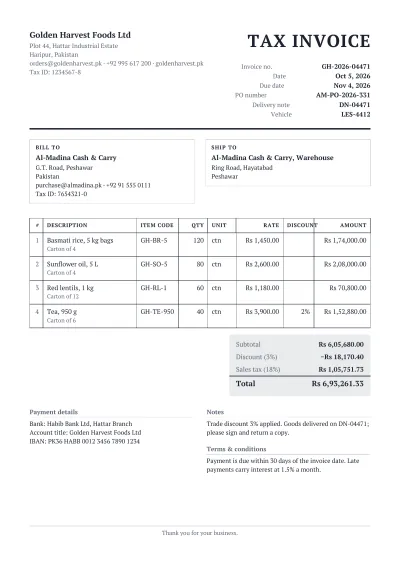 Wholesale InvoiceFor distributors and traders: many lines with item codes, pack sizes and quantities, trade discount and delivery details.VAT 15%USD
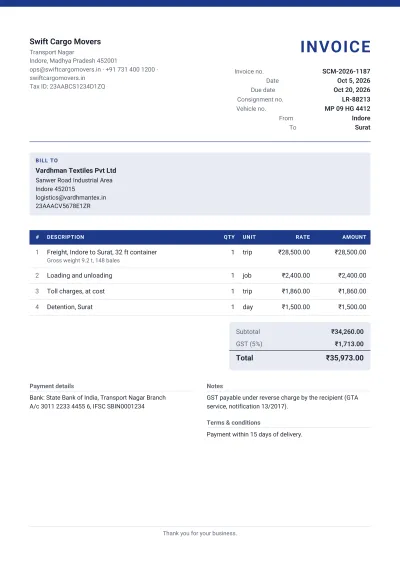 Transport InvoiceFor trucking, logistics and courier companies: the route, vehicle and consignment note, charges by trip, weight or distance.USD
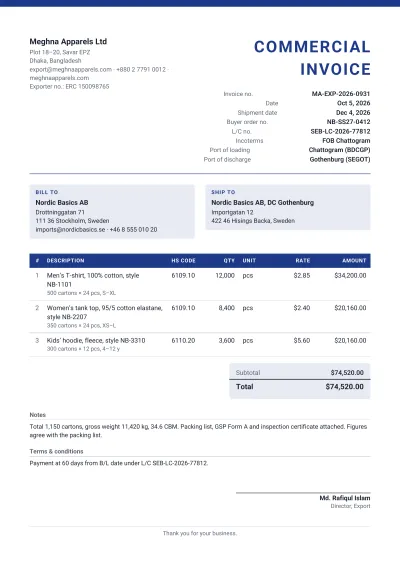 Garments Export InvoiceFor apparel exporters: style and order numbers, HS codes, cartons and pieces, the L/C or PO, and the shipment terms buyers require.USD
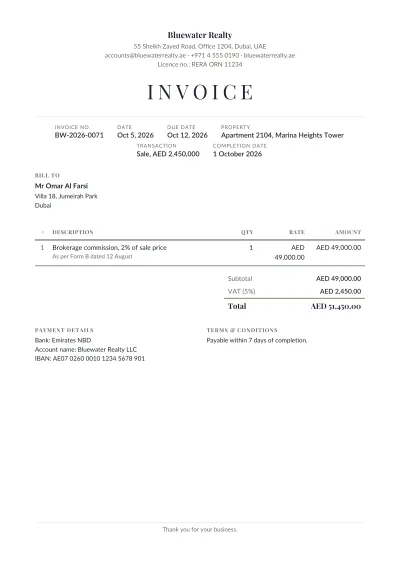 Real Estate Commission InvoiceFor agents and brokers: the property, the sale or rental value, the agreed commission rate and the amount due.USD
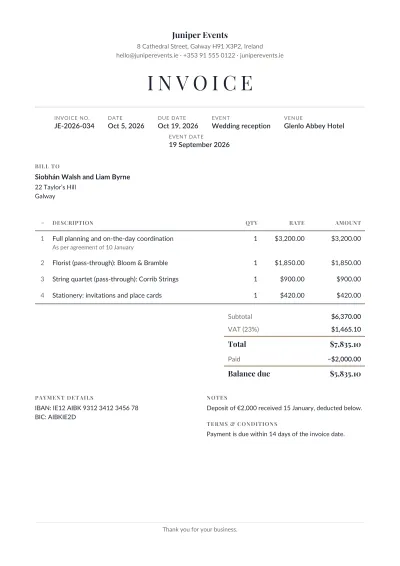 Event Planner InvoiceFor wedding and event planners: the event, venue and date, the planning fee, vendors arranged, and deposits taken off.USD
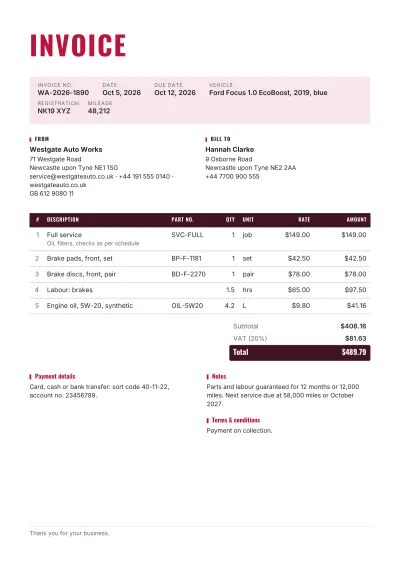 Auto Repair InvoiceFor garages and mechanics: the vehicle, registration and mileage, parts with numbers, labour hours and the work done.USD
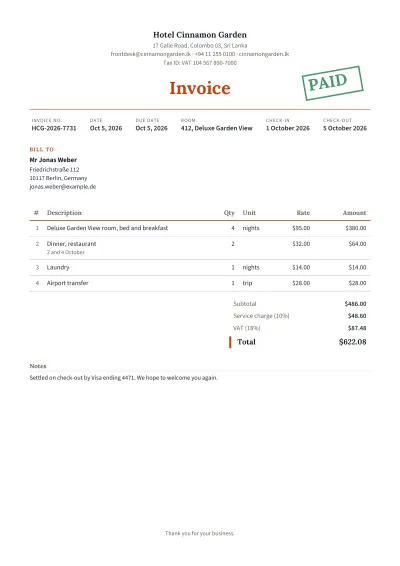 Hotel InvoiceFor hotels and guest houses: the room, check-in and check-out, nights at the rate, meals and extras, and city tax.Service charge 10% + VAT 15%USD
By country and tax
- GST Invoice (India)The Indian tax invoice: GSTIN of both parties, place of supply, HSN/SAC codes, and CGST and SGST (or IGST) on their own lines.CGST 9% + SGST 9%INR
- VAT Invoice — Mushak 6.3 (Bangladesh)The Bangladesh tax invoice (Mushak-6.3): BIN of both parties, challan number, issue time, vehicle, and 15% VAT per line.VAT 15%BDT
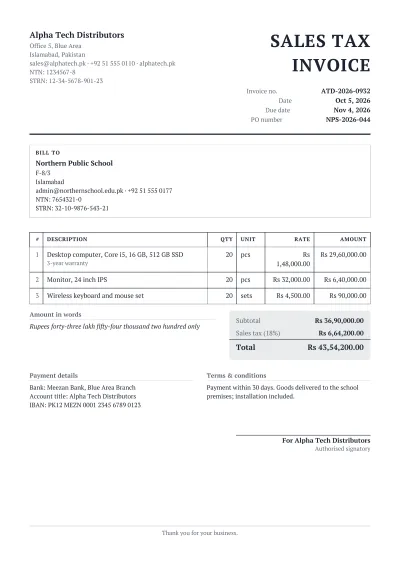 Sales Tax Invoice (Pakistan)The FBR sales tax invoice: NTN and STRN of both parties, the value excluding tax, sales tax at 18% and the total.Sales tax 18%PKR
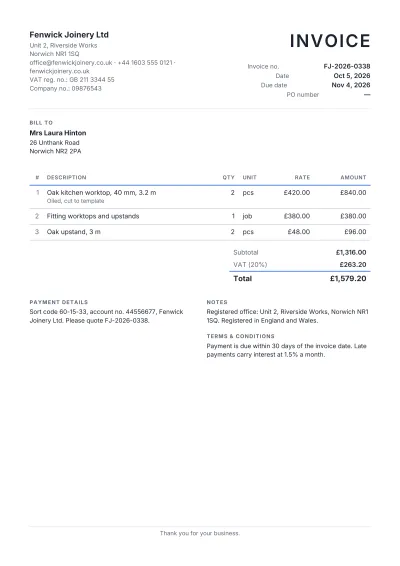 UK VAT InvoiceA VAT invoice as HMRC requires: your VAT registration number, the net amount, VAT at 20% and the gross total, with the company number.VAT 20%GBP
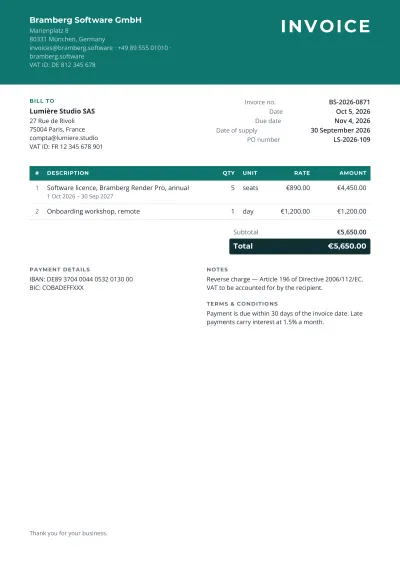 EU VAT InvoiceFor businesses in the European Union: VAT IDs of both parties, the rate applied, and the reverse-charge wording for cross-border sales.VAT 21%EUR
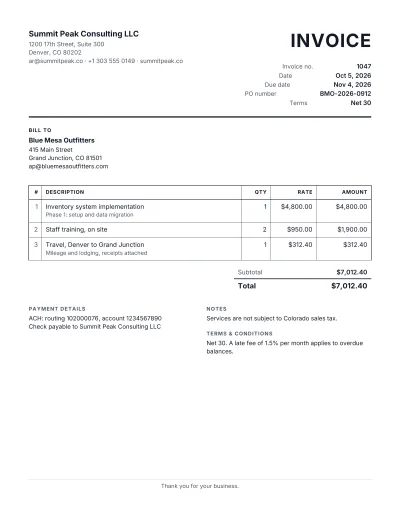 US InvoiceAn invoice for US businesses on Letter paper: Net terms, an optional sales-tax line, and the customer's PO number.USD
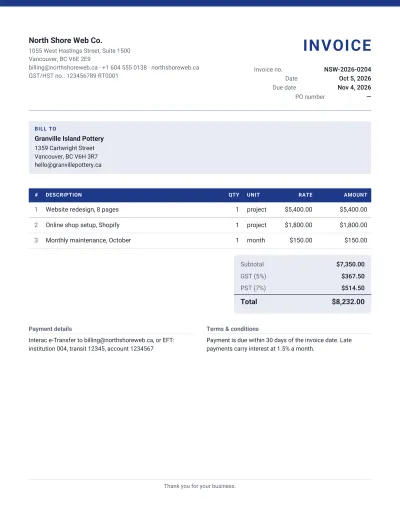 Canadian InvoiceFor Canadian businesses: the GST/HST registration number and GST, HST or PST lines as the province requires, on Letter paper.GST 5% + PST 7%CAD
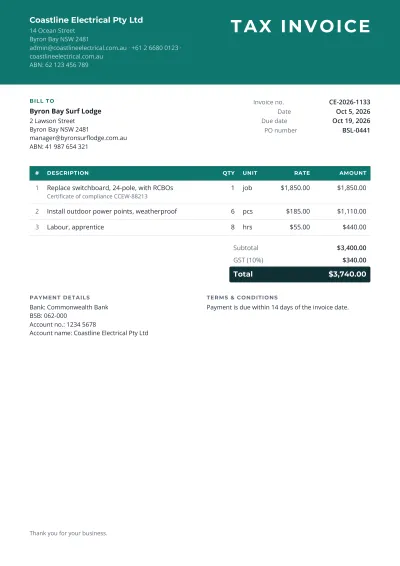 Tax Invoice (Australia)The ATO tax invoice: the words 'Tax Invoice', your ABN, the GST amount or 'total includes GST', and the buyer's details over $1,000.GST 10%AUD
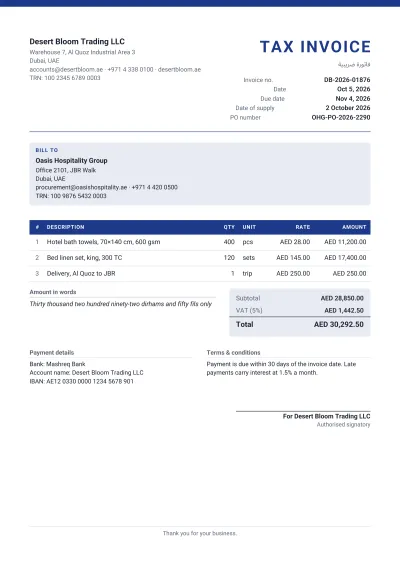 VAT Invoice (UAE)The FTA tax invoice: the bilingual title, TRN of both parties, VAT at 5% per line and in the total, in AED.VAT 5%AED
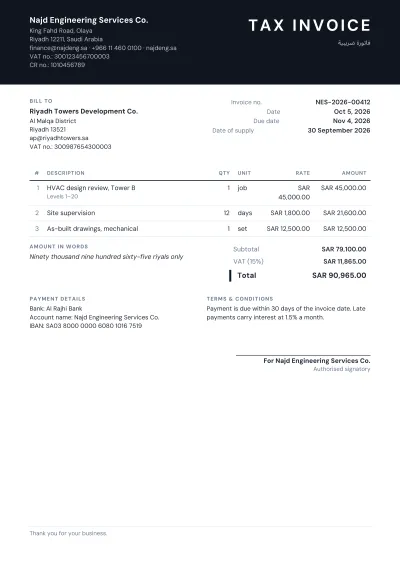 VAT Invoice (Saudi Arabia)The ZATCA tax invoice: bilingual title, VAT numbers and CR number, VAT at 15%, in SAR.VAT 15%SAR
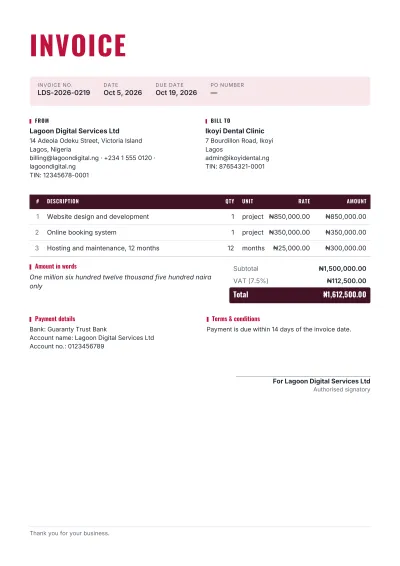 Nigerian InvoiceFor Nigerian businesses: TIN of both parties, VAT at 7.5%, and the amount in naira and in words.VAT 7.5%NGN
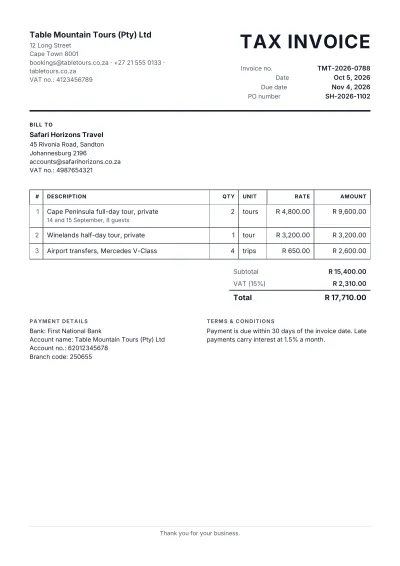 Tax Invoice (South Africa)The SARS tax invoice: the words 'Tax Invoice', both VAT numbers, VAT at 15% and the total in rand.VAT 15%ZAR
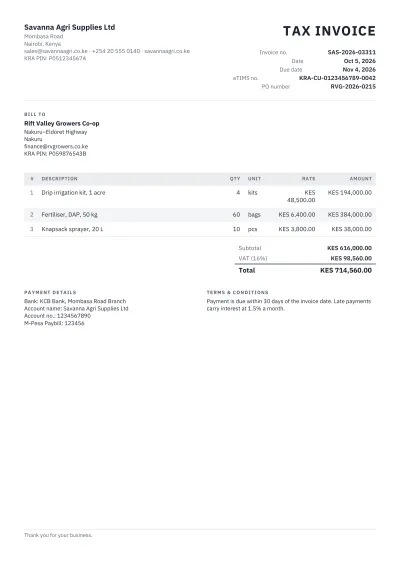 Kenyan InvoiceFor Kenyan businesses: KRA PIN of both parties, VAT at 16% and the control unit number from eTIMS where it applies.VAT 16%KES
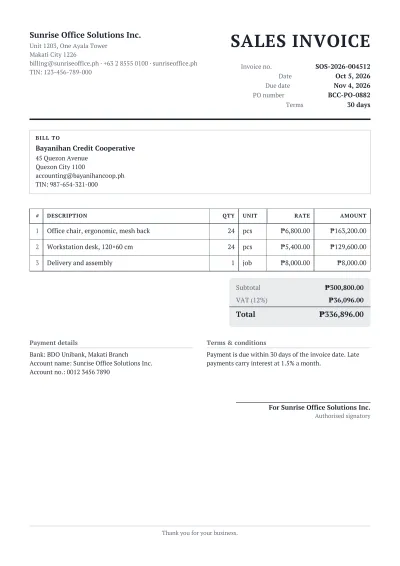 Sales Invoice (Philippines)The BIR sales invoice: TIN of both parties, the VATable sales, 12% VAT and the total in pesos.VAT 12%PHP
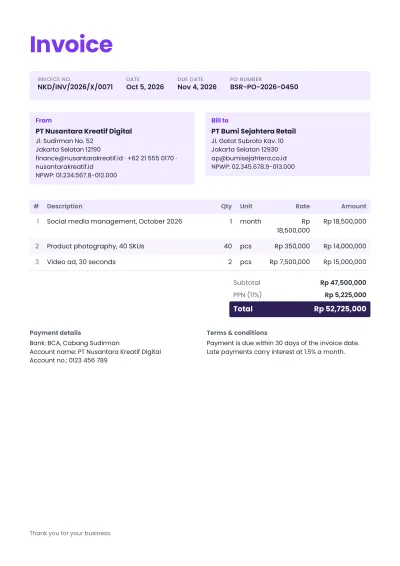 Invoice (Indonesia)For Indonesian businesses: NPWP of both parties, PPN at 11%, and the amount in rupiah without decimals.PPN 11%IDR
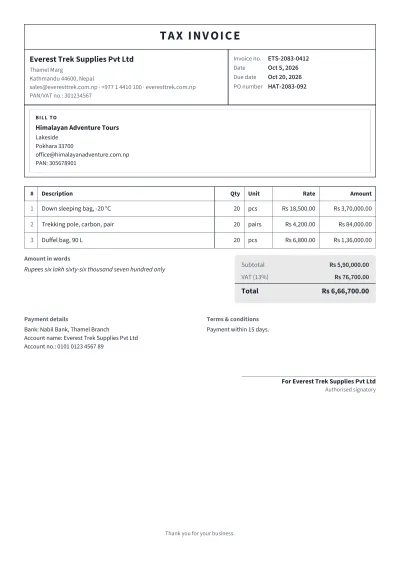 VAT Bill (Nepal)The IRD tax invoice: PAN or VAT number of both parties, VAT at 13%, and the total in words, in rupees.VAT 13%NPR
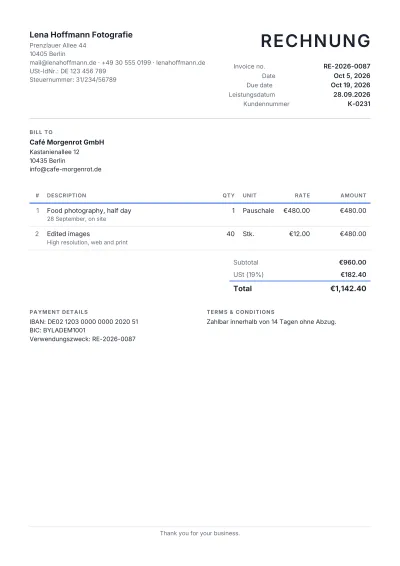 Rechnung (Germany)A German invoice with every item §14 UStG requires: Steuernummer or USt-IdNr., Leistungsdatum, net amounts and 19% USt.USt 19%EUR
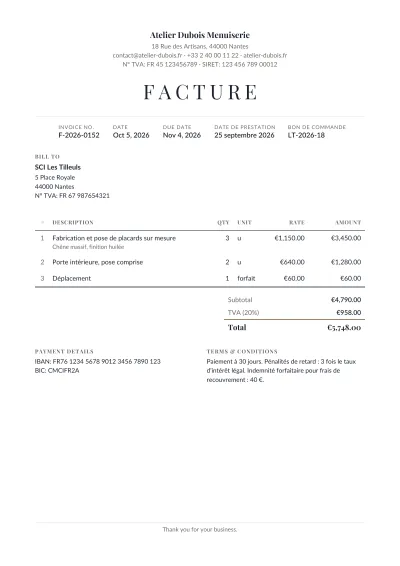 Facture (France)A French invoice with the mandatory mentions: SIRET, numéro de TVA, the date of the service, TVA at 20% and late-payment terms.TVA 20%EUR
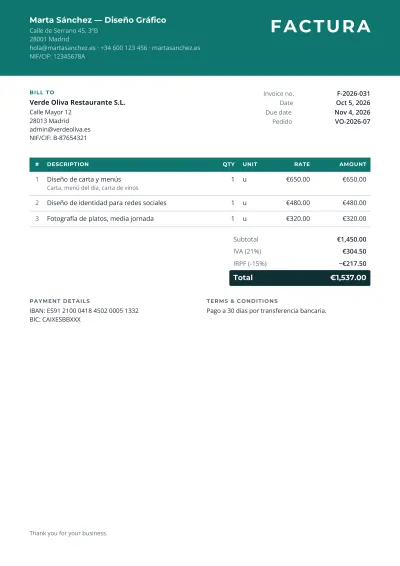 Factura (Spain)A Spanish invoice with NIF/CIF of both parties, the taxable base, IVA at 21% and, for professionals, the IRPF withholding.IVA 21%EUR
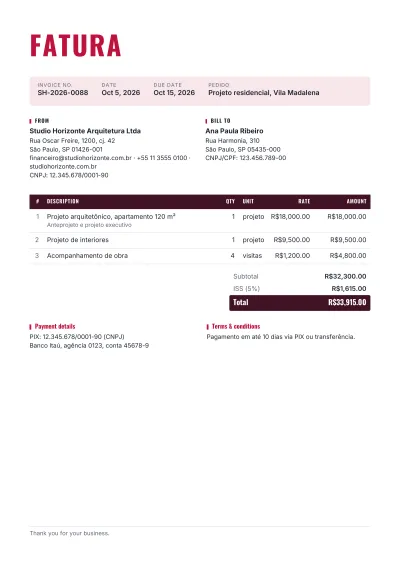 Fatura (Brazil)A Brazilian commercial invoice with CNPJ and CPF, ISS or ICMS lines, and PIX payment details, in reais.ISS 5%BRL
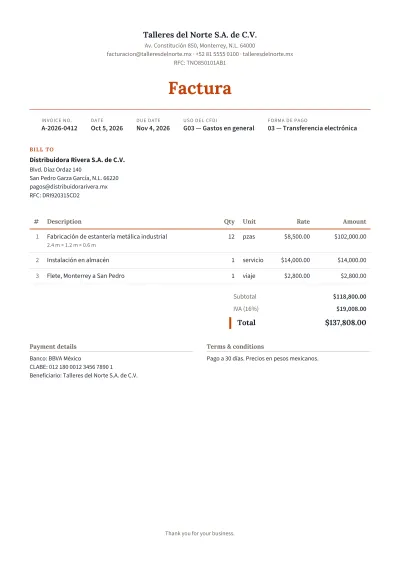 Factura (Mexico)A Mexican invoice with RFC of both parties, IVA at 16% and the CFDI use code, in pesos.IVA 16%MXN
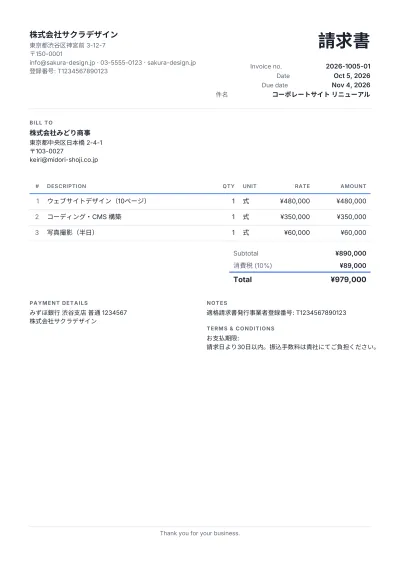 請求書 (Japan)A Japanese qualified invoice (適格請求書): the T-registration number, consumption tax at 10% and 8% shown by rate, in yen.消費税 10%JPY
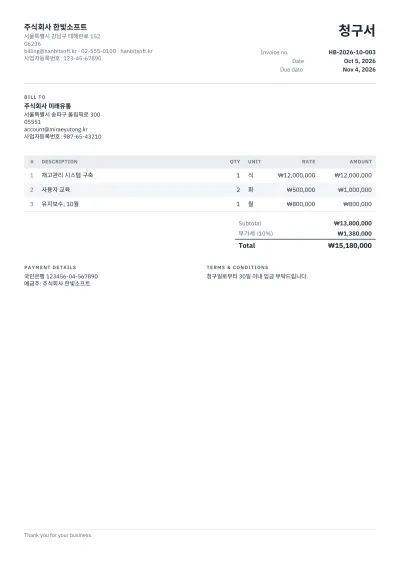 청구서 (South Korea)A Korean invoice with the business registration number (사업자등록번호), VAT at 10% and amounts in won.부가세 10%KRW
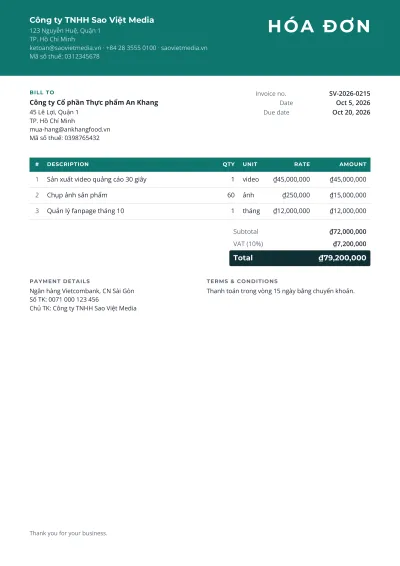 Hóa đơn (Vietnam)A Vietnamese invoice with the tax code (mã số thuế) of both parties, VAT at 10% or 8%, and amounts in đồng.VAT 10%VND
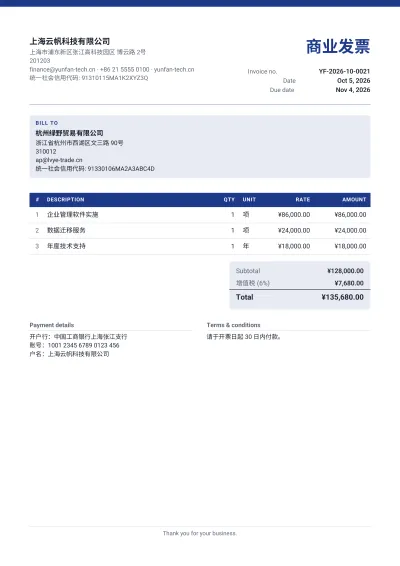 商业发票 (China)A Chinese commercial invoice with the unified social credit code of both parties and VAT at 13%, in yuan.增值税 13%CNY
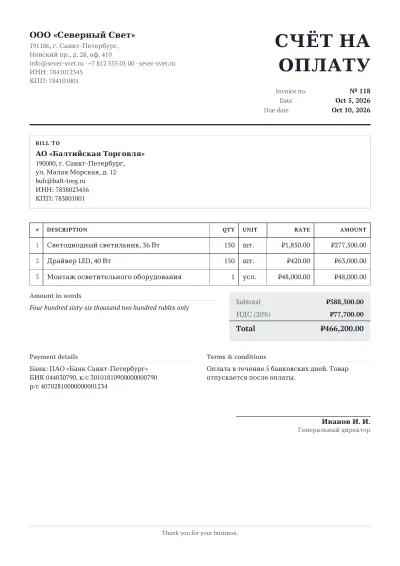 Счёт на оплату (Russia)A Russian payment invoice (счёт на оплату) with ИНН and КПП, bank details, НДС at 20% and the total in words.НДС 20%RUB
How it works
Pick an invoice type
A simple invoice, a quotation, a receipt, a GST invoice for India, a Mushak-6.3 for Bangladesh, a UK VAT invoice — or one made for your trade, from freelancers to garment exporters. Each opens on a filled-in example.
Fill in your details
Your business and logo, the customer, the lines. Quantities, rates, discount and tax are worked out as you type, with the total in words where your country expects it.
Choose the look
Twelve looks, your colour, the font and the paper size. Switch the type or the look at any time; nothing you typed is lost.
Download it
PDF for sending, Word for editing, Excel for your books. Next time, “New invoice” brings back your business details with the next number.
What an invoice template actually decides
An invoice is read by three people: the customer, who checks the lines; their bookkeeper, who needs the number, the date, the tax split and your registration; and, in many countries, a tax officer, who looks for exactly the fields the law names. A template's real job is to have the right fields for that country, so these templates differ in what they ask for, not only in how they look: the GST invoice has a place of supply and HSN codes, the Mushak-6.3 a challan number and issue time, the German Rechnung a Leistungsdatum, the Spanish factura an IRPF line.
The PDF these templates produce is typeset, not screenshotted. Every figure is real text in a font embedded in the file, so it can be selected, searched and read by the customer's accounting software; the PDF prints sharply and stays small. The Excel download carries the same lines with live formulas — change a quantity and the tax and total follow — and the Word download is a normal document with real tables you can edit.
Regional conventions differ more than most generators admit. Invoices in Bangladesh, India, Pakistan and Nepal carry the total in words and round it to a whole rupee or taka; receipts there are stamped PAID; shops use a ruled cash-memo layout rather than a modern one. US invoices are on Letter paper with Net-30 terms and often no tax line; EU business invoices carry two VAT IDs and reverse-charge wording. The templates start from those conventions, and every one of them can be changed.
When you want something else
Accounting software (Zoho, QuickBooks, Wave, Vyapar) is the better tool once you send dozens of invoices a month and need them tracked: who has paid, what is overdue, reminders, reports and the tax return filled from them. This generator makes the document, remembers your details and counts the number up; it does not keep a ledger. Many people use both: the software for the regular customers, this for the one-off job.
Where the law requires electronic invoicing through a government system — India's e-invoice portal above the turnover threshold, Saudi Arabia's Fatoora, Mexico's CFDI, Brazil's NF-e, Vietnam's e-invoice — the official document is the one that system issues. The templates here match those formats' fields, so what you print agrees with what you file, but they do not file it.
Frequently asked questions
Is it really free?
Yes. Every template, every look and the PDF, Word and Excel downloads are free, with no watermark, no signup and no “pay to download” step at the end — which is where most invoice generators ask for money.
Does the download look exactly like the preview?
The preview is the PDF itself, drawn page by page, so the PDF is identical. The Word and Excel files are built from the same lines and totals in the same colours and typefaces; Word may break a long line a little differently, and Excel shows the invoice as a sheet with live formulas rather than a page.
Can I make a GST invoice or a VAT invoice?
Yes. The country formats carry the right fields: GSTIN, HSN/SAC codes, place of supply and CGST/SGST for India; BIN, challan number and 15% VAT in the Mushak-6.3 layout for Bangladesh; NTN and STRN for Pakistan; VAT numbers and rates for the UK, the EU, the Gulf, Australia and more. Every rate and label can be changed.
Where is my invoice kept?
On this computer only, so it is still here when you come back, and your business details are filled in on the next invoice. Nothing is stored anywhere else. “Save a copy” makes a file you can open on another computer.
How does numbering work?
Type the first number any way you like — INV-0001, 2026/118 — and “New invoice” counts it up from there, keeping the prefix and the zeros. The last number is remembered on this computer.
Can I add my logo?
Yes. Add a PNG, JPEG, WebP, GIF or SVG; it is shrunk to fit and goes into the PDF, the Word file and the saved copy.
Can I write the invoice in Bangla, Hindi or Arabic?
Yes. Bangla, Hindi, Arabic, Urdu, Chinese, Japanese, Korean, Russian and other scripts are drawn in a font that has them and joined correctly in the PDF, and the printed words — Invoice, Bill to, Subtotal — follow the page’s language. Arabic and Urdu lines read right to left, but the page itself is not mirrored. Amounts in words are written in English.
Can I turn a quote into an invoice?
Yes. Change the document type in Invoice details, or pick another type in the gallery: the customer, the lines and the totals stay; the title, the number’s label and the dates change.
Good to know: The total in words is written in English. Arabic and Urdu text reads right to left, but the page layout is not mirrored. The Word download keeps the design, but lines can break a little differently than in the PDF. Your invoice and your business details are kept on this computer until you remove them.
Put this tool on your website
Free for any blog, class page or help article. Paste one snippet and your visitors can use it right on your page.